
ConstructVue Academy · Lesson 2
How to set up your construction company's organization, roles and permissions
How commercial contractors structure an organization in construction software — workspaces, least-privilege roles, invitation policy, standards, and auditability.
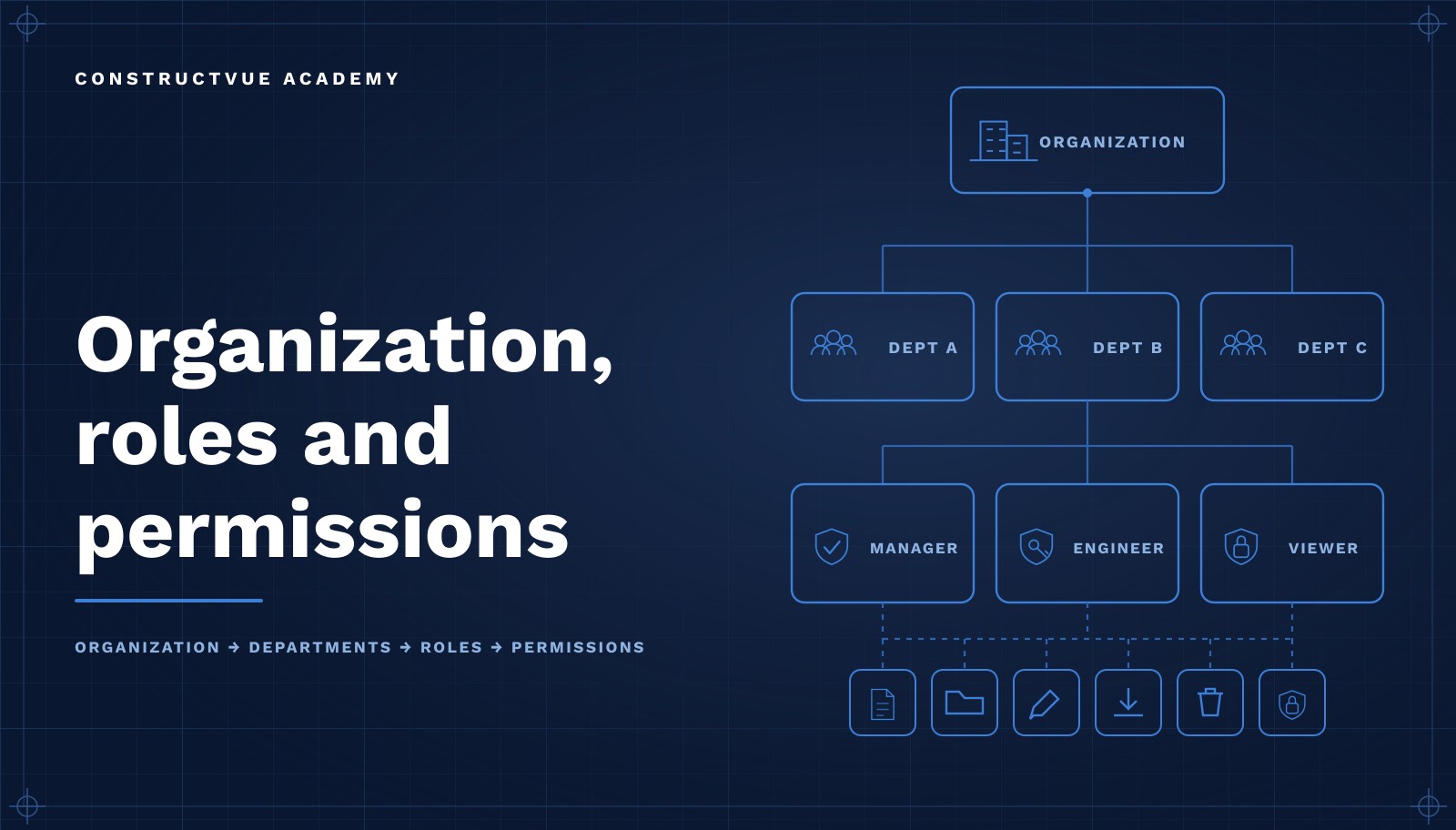
Organization setup is the least glamorous and most consequential configuration a construction company performs. It determines who can see cost, who can commit the company, how work is grouped across divisions and clients, and whether an auditor can later reconstruct who approved what. Teams that treat it as a checkbox spend the next two years working around decisions nobody remembers making.
This lesson explains how commercial contractors structure an organization in construction management software: the difference between organizations, workspaces and projects; how to design a role catalog around least privilege; how to run invitations as policy rather than favors; and how naming conventions and workflow standards turn a collection of jobs into a portfolio you can actually report on.
Who owns organization setup
Setup is a commercial decision with a technical implementation, so it needs two owners working together: an operations leader who can decide how the company is structured and who is allowed to commit it, and a system administrator who implements and maintains that structure. Finance should be consulted on cost visibility, and whoever is accountable for risk should sign off on external access.
- Operations leader — defines divisions, approval thresholds, and standards.
- System administrator — implements structure, roles, invitations, and reviews.
- Finance — approves who sees cost, margin, and payment information.
- Risk or legal — approves what external parties can access and for how long.
Learning objectives
- Distinguish organization, workspace and project, and know what belongs at each level.
- Design a role catalog that reflects responsibility rather than job title.
- Apply least privilege without blocking day-to-day work.
- Run invitations and onboarding as a documented policy.
- Set naming conventions and workflow standards once, at the right level.
- Build a responsibility matrix your team can actually answer questions from.
- Make administrative activity auditable from the start.
Organization vs workspace vs project
Most access problems trace back to putting a decision at the wrong level. The rule is simple: put a setting at the highest level where it should never vary, and no higher.
Organization
Your company. It owns the legal identity, the user directory, the role catalog, approval thresholds, cost code structure, naming conventions, and the audit history. Anything that should be consistent on every job belongs here.
Workspace
A durable grouping between the company and the job — a division, a region, a business unit, or a long-running client program. Workspaces exist so leadership can be accountable for a portfolio rather than a list, and so access can be granted to "the healthcare group" without granting it to the whole company.
Project
A single job with a contract, a budget, a schedule, and a team. Project-level settings should be limited to what genuinely differs job to job. If you find yourself setting the same thing on every project, it belonged at the organization.
Role catalog and least privilege
A good role catalog is built around the decisions a person is responsible for, not their business card. Two people with the same title may carry very different authority; two people with different titles may need identical access.
- Administrator — structure, users, standards. Deliberately rare.
- Executive — portfolio visibility and financial position across workspaces, without transactional authority.
- Project manager — full authority on assigned projects, including commitments within threshold.
- Project engineer — creates and advances RFIs, submittals, and documentation; does not commit the company.
- Superintendent / field lead — daily reports, photos, inspections, issues; execution, not commercial.
- Accounting — commitments, invoices, pay applications, and payment status.
- Read-only observer — owners, lenders, or internal stakeholders who need visibility and nothing else.
- External participant — a subcontractor or vendor scoped strictly to their own commitments and compliance.
Least privilege is the working principle: grant the minimum access required, and make elevated actions — approving change orders, releasing payment, altering a budget — explicit grants rather than side effects of a broad role. It limits accidental damage and contains the blast radius when an account is compromised. We describe the controls behind this on the security page.
Invitation and onboarding policy
Access should never be improvised. Write a short policy that answers four questions and apply it every time.
- Who may request access, and who approves it.
- What role is the default for each function — never 'administrator, we'll tighten it later'.
- What scope the invitation carries: the whole organization, one workspace, or a single project.
- When access ends — project completion, commitment closeout, or departure.
Invitation-based access also protects the tenant boundary: accounts exist because someone accountable invited them, not because someone found a sign-up page. Pair the policy with a standard first-week plan, covered in the first login lesson.
Naming conventions and workflow standards
Conventions are what make a portfolio searchable three years later. Decide them once, at the organization level, before the second project is created.
- Project codes — a stable, sortable identifier that survives client renames.
- Cost code structure — one shared structure, mapped to how your accounting system reports.
- Document naming — discipline, type, and revision in a predictable order.
- Change and RFI numbering — sequential per project, never reused.
- Approval thresholds — dollar limits attached to roles rather than to individuals.
- Required fields — the small set of facts that must exist before a record can advance.
Workflow standards are the behavioral half of this: which states a record moves through, who advances it, and what evidence must be attached at each step. Standards defined at the organization level are why two project managers produce comparable records instead of two personal filing systems. The feature overview shows where those standards apply across the lifecycle.
Build a responsibility matrix
A responsibility matrix maps every significant record type to the people who are responsible, accountable, consulted, and informed. It is worth an hour of argument up front because it resolves a year of ambiguity.
- List the record types that carry commercial or schedule consequence.
- Name a single accountable role per record type — accountability does not split.
- Identify who must be consulted before a record advances past a defined threshold.
- Publish it where a new hire will find it in their first week.
- Re-check it whenever a role is added, because unassigned records become nobody's job.
Auditability
Administrative actions deserve the same evidentiary standard as field work. Who invited a user, who changed a role, who raised an approval threshold, and when — those facts matter during a claim, a lender review, or an insurance audit, and reconstructing them from memory is not credible.
- Every role and permission change is recorded with actor and timestamp.
- Administrative history is append-only — corrections are new entries, not edits.
- Access reviews happen on a schedule and produce a record that they happened.
- External access is time-bounded and revoked when the commitment closes.
This is also what makes access reviews tolerable: with a reliable administrative history, a quarterly review is a report you read rather than an investigation you run. General contractors carrying owner and lender reporting obligations feel this most — see how GCs use the platform.
Common setup mistakes
Everyone is an administrator
Usually a rollout shortcut that never gets undone. It removes the meaning of approval and makes the audit history unusable, because every action looks equally authorized.
Roles copied from job titles
Titles describe seniority; roles should describe authority. Copying titles produces roles that are simultaneously too broad and too narrow.
Projects used as a substitute for workspaces
When every job is a flat sibling, leadership loses portfolio grouping and access becomes per-project bookkeeping forever.
Conventions decided per project
Naming and cost code decisions made by whoever creates the job produce a portfolio that cannot be compared or searched.
Access that never expires
Subcontractor accounts from a closed job and users who moved on are the most common finding in any access review. Termination should be part of the grant, not a cleanup task.
Treating audit as a compliance add-on
Audit history has to be produced by the workflow, not reconstructed afterward. If it is not automatic, it will not exist when it matters.
Frequently asked questions
What is the difference between an organization, a workspace and a project?
The organization is your company — the legal entity that owns the data, the standards, and the user directory. A workspace is a durable grouping inside it, such as a division, region, or client program. A project is a single job with a contract, a budget, and a schedule. Standards live at the organization, ownership lives at the workspace, and execution lives at the project.
How many roles should a contractor define?
Most commercial contractors are well served by six to eight roles. Fewer than that forces over-granting; more than that produces roles nobody can distinguish. Define roles around responsibility for a decision, not around job titles.
Should subcontractors have accounts?
Yes, but scoped to their own commitments, submittals, invoices, and compliance documents. External participants should never inherit internal cost visibility, and their access should end when the commitment closes.
What does least privilege mean in construction software?
Every user gets the minimum access needed to do their job, and elevated actions — approving change orders, releasing payment, changing budgets — are granted deliberately rather than inherited. It reduces both accidental error and the blast radius of a compromised account.
How often should access be reviewed?
Quarterly for the full directory, and immediately on any role change, project completion, or departure. Access review is only practical when the system records who granted what and when, which is why auditability is part of setup rather than an afterthought.
Do naming conventions really matter?
They are the difference between a searchable portfolio and a filing accident. Project codes, cost code structure, and document naming should be decided once at the organization level, because retrofitting them across active jobs is far more expensive than agreeing on them up front.
Related Academy lessons
For the wider operating model this structure supports, see the platform overview or return to the Academy hub.
Lesson chapters
- 0:04Welcome
- 0:22Organization profile
- 1:00Users and permissions
- 1:50Workflows and standards
- 2:30Next steps